VEREXA SECURE EXAMINATION PLATFORM
Secure examination delivery with evidence-based integrity review.
Verexa helps institutions deliver secure digital exams, govern permitted AI assistance, maintain exam continuity, and support human-led integrity review — from one institutional platform.
Built for universities, RTOs, training organisations and examination providers, including labs and shared computers.
Secure the session. Govern the AI. Review the evidence.
Institutional secure examination platform
Secure exams your institution can stand behind and review.
Verexa strengthens exam integrity controls and supports review by authorised staff; it does not claim to make cheating impossible.
- Secure exam delivery
- Exams run in Verexa Secure Browser for Windows, with a System Check beforehand.
- Integrity review
- Authorised staff make the final decision; Verexa supports that review rather than deciding outcomes.
- Resilient on exam day
- One active secure session per attempt, with recovery from technical interruption.
- Controlled student assistance
- Where a lecturer enables it, brainstorming assistance within defined boundaries.
Why Verexa?
Built for the parts of digital assessment that a traditional lockdown browser does not solve.
Secure session control
A controlled exam environment with readiness checks before protected exam access.
Governed AI
Institution-defined AI assistance at assessment level — unavailable where prohibited, bounded where permitted.
Continuity without silent takeover
One active secure session per attempt, with controlled recovery after genuine interruption and saved progress preserved.
Human-led integrity review
Authorised staff review the attempt and make the decision; Verexa does not automatically determine misconduct.
Three pillars of controlled digital assessment.
Session continuity, controlled AI and human-led review give institutions practical control over modern assessment.
Trusted session continuity
Keep the assessment tied to its authorised session and device context from launch through completion.
Governed AI assistance
Decide when AI is available and keep assistance within controlled assessment boundaries.
Human-led integrity review
Support authorised staff in reviewing an attempt, without having software automatically determine misconduct.
Trusted session continuity
More than a login. Maintain assessment continuity.
Authentication establishes who signed in. Verexa also maintains the relationship between the assessment session, secure client and device context throughout the attempt, helping identify unexpected continuity changes while supporting controlled recovery after interruption.
Session and device continuity supports assessment assurance; it is not physical identity verification.
Secure launch
Start the assessment through an authorised secure-client flow.
One active session per attempt
While a student's secure session is live, another computer cannot take over the same attempt.
Recovery from technical interruption
If a computer fails mid-exam, the same attempt can resume on a registered computer once the interrupted session is no longer active, with saved answers preserved.
Multi-device registration
Students can register more than one computer, and shared lab computers are supported. Each student still signs in with their own credentials.
Controlled AI
AI assistance you can govern, not just permit.
Verexa lets lecturers decide whether AI is restricted or deliberately available within an assessment.
AI restricted
For assessments where external AI should not be available, Verexa provides a controlled secure assessment environment.
- Secure Windows assessment environment
- Restricted-application controls
- Display checks
- Controlled assessment delivery
Controlled AI permitted
When assessment design calls for AI, lecturers can enable Controlled AI Brainstorming within defined assessment boundaries.
- Enabled by lecturer per assessment
- Controlled brainstorming and reasoning assistance
- Assessment-specific policy boundaries
AI does not have to be either completely banned or completely unrestricted.
- Lecturer controlled
- Enable or disable Controlled AI Brainstorming according to the assessment.
- Assessment boundaries
- Assistance stays within defined brainstorming and reasoning boundaries rather than unrestricted answer generation.
- Multi-layer guardrails
- Requests are evaluated against policy controls and generated assistance is checked against the permitted assistance boundary.
Guardrails reduce unintended assistance risk.
Human-led integrity review
Human judgement, not automatic verdicts.
Verexa supports authorised, human review of an exam attempt; it does not automatically determine misconduct.
- Exam attempt
- Authorised lecturer review
- Human decision
Review is carried out by authorised staff, who make the final decision.
See how Verexa works.
From assessment setup to controlled delivery and review, Verexa keeps the core workflow in one environment.
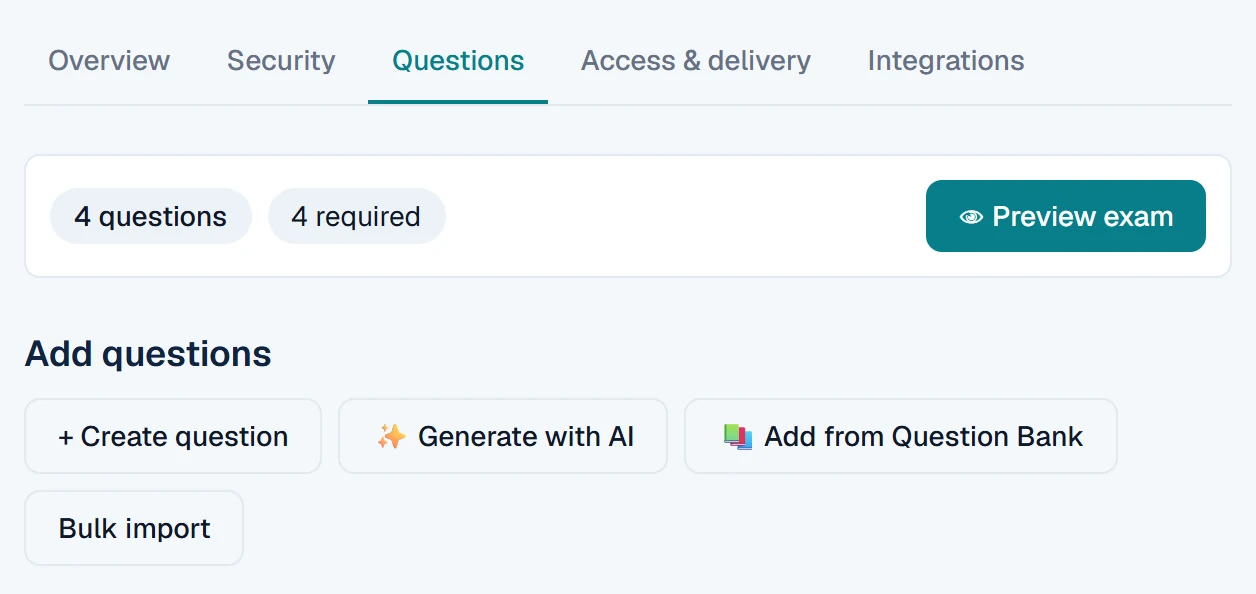
Tap the screenshot to view it full size.
Manage the assessment workflow
Configure, deliver, mark and review assessments from one platform.
Screenshots show Verexa with synthetic demonstration data.
A secure browser is only the start.
Verexa’s dedicated Windows Secure Browser provides the controlled environment underneath the assessment workflow.
- Windows Secure Browser
- System Check
- Secure assessment launch
- Display and restricted-application checks
- Session and device continuity
- Controlled recovery
- Multi-device registration
- Question authoring and banks
- Manual marking
- Optional AI question generation
- Optional AI-assisted draft marking, human-finalised
- Reporting and exports
- Canvas / LTI integration
AI question generation and AI-assisted draft marking are optional conveniences for staff. They are not needed to deliver or secure an exam, and marks are finalised by people.
From assessment setup to review.
Create
Build and configure the assessment.
Configure
Set assessment controls and decide whether Controlled AI is permitted.
Deliver
Students complete the assessment in the configured environment.
Review
Mark submissions and carry out integrity review.
Institutional pilot
Pilot with Verexa.
A controlled institutional pilot lets your team evaluate Verexa on real assessments, with support, before deciding on wider use. It is a conversation about fit first, not an automatic sign-up.
Contact us for institutional pilot pricing.
A controlled pilot can include
- Lecturer and administrator onboarding
- A small number of courses and exams
- Student onboarding
- Verexa Secure Browser installation
- A supervised live exam
- Integrity review workflow
- Technical support during the pilot
- A post-pilot review
Onboarding and support
Support from onboarding through post-exam review.
Institutions don’t just receive software. Support arrangements are agreed with each institution as part of the pilot.
- Implementation and onboarding guidance
- Practical guidance for setting up courses and exams, and for onboarding lecturers and students.
- Pre-exam readiness checks
- Students run System Check in Verexa Secure Browser before the exam, so problems surface early rather than on the day.
- Documented escalation procedures
- Agreed escalation steps, documented for the pilot, so everyone knows who to contact and when.
- Exam-day support arrangements
- Support for the live exam is defined with your team for the pilot, rather than assumed.
- Post-exam review support
- Help with the integrity review process after the exam.
Talk to us about a Verexa pilot.
Tell us about your institution and the assessments you want to run, and we’ll discuss what a controlled pilot would involve.
Already taking part in a pilot? Download Verexa Secure Browser or sign in to Verexa.